

DORR · WEB
Free online photo editor
Edit photos online with Dorr. Try AI styles, vintage filters, effects, textures and crop tools, then save a PNG up to 720 pixels on its longest side. Free, with no sign-up.
Free · No sign-up · No app installation
IN YOUR BROWSER
How to edit a photo online in 3 steps
Choose a photo
Start with your own photo or try the sample. Your image opens in the browser editor.
Find your look
Try AI styles, filters, effects and textures. Adjust their strength, crop the photo and compare with the original.
Save your photo
Choose Save to create a PNG with a maximum long edge of 720 pixels. Save the result before leaving the page.
WHAT YOU CAN MAKE
AI styles, filters, effects and crop tools
AI styles, filters and effects
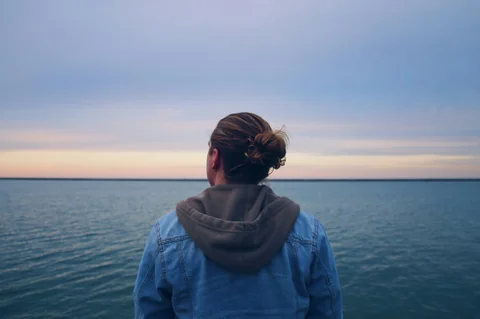
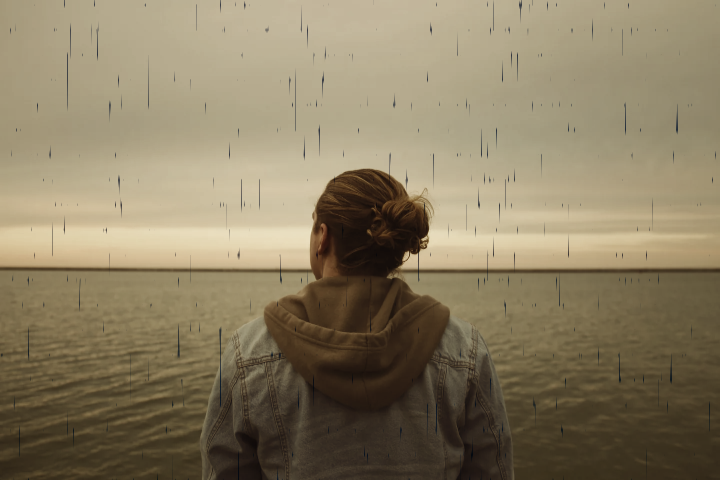
Turn a photo into a painting with an AI style, or try a vintage photo filter or the Analog effect for a film-inspired look. Change the strength and compare with the original. The example above is a real PNG saved from the web editor.
Crop and fine-tune
Crop, rotate or flip your photo, then adjust brightness, contrast and color. Apply supported edits to the entire photo, subject or background. Subject separation works best on portraits and may need a model download.
Edit on your phone with the Dorr app
Add text, fix perspective and undo any step. Save videos in 1080p HD with Dorr Pro. Free on iPhone and Android.
GOOD TO KNOW
Frequently asked questions
Is the web editor free? Do I need an account?
The web editor is free and needs no sign-up or app installation. The mobile app has separate conditions: standard-quality video saving is free and may show ads; Pro adds 1080p HD saving, premium content and no ads.
What can I save from the browser?
Photos save as PNG files with a maximum long edge of 720 pixels. Videos save at 720 × 1280, 720 × 720 or 1280 × 720 pixels. The video format is MP4 when supported by the browser, otherwise WebM. Saved videos end with a 1-second Dorr card that you can turn off under Duration. Video saving takes about the playback duration; keep the tab open and visible.
Are my photos uploaded for editing?
Your photos and video rendering are processed in your browser, without uploading your media for editing. The site downloads its editing assets and uses analytics. Subject separation may download a model after you choose to use it; the model works best on portraits.
Can I continue my web project in the iPhone and Android app?
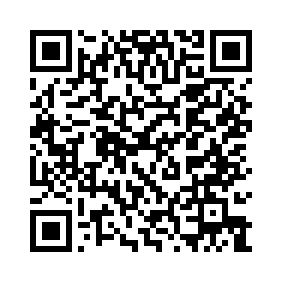
Web projects do not transfer automatically to the app. Save your photo or video before leaving the editor. Use the App Store for iPhone, Google Play for Android, or the QR code to open the download page. Start a new project in the app. Dorr requires iOS 18 or later, or Android 10 or later.
KEEP EXPLORING
Photo editing and slideshow guides

YOUR NEXT PHOTO. YOUR NEXT STORY.
Dorr app for iPhone and Android
Keep creating, wherever the day takes you. Edit photos and make videos on iPhone and Android.
iPhone (iOS 18+) · Android 10+ · Free download