

PHOTO EFFECTS · FILTER
Sepia photo filter
Dorr’s Sepia filter replaces a photo’s colors with warm beige and brown tones, like an old print. At 35–70% most of the original color fades into a soft beige; at 100% the whole photo turns a deeper brown. Brightness and contrast stay almost the same. Apply it free in the web editor and save a PNG, with no sign-up.
Free · No sign-up · Photos stay in your browser
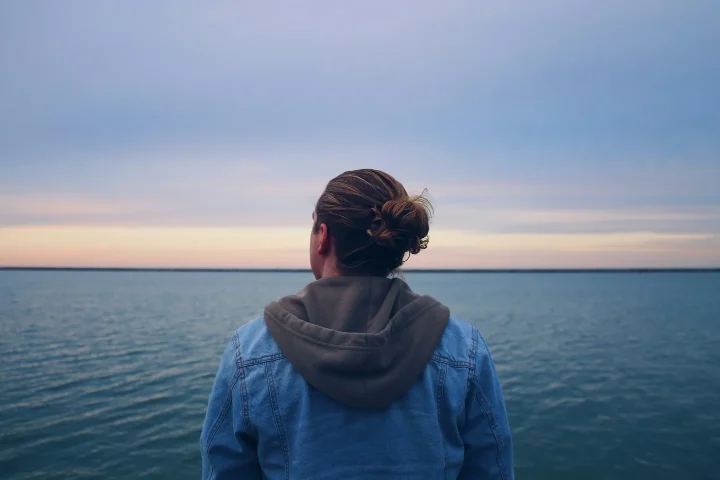
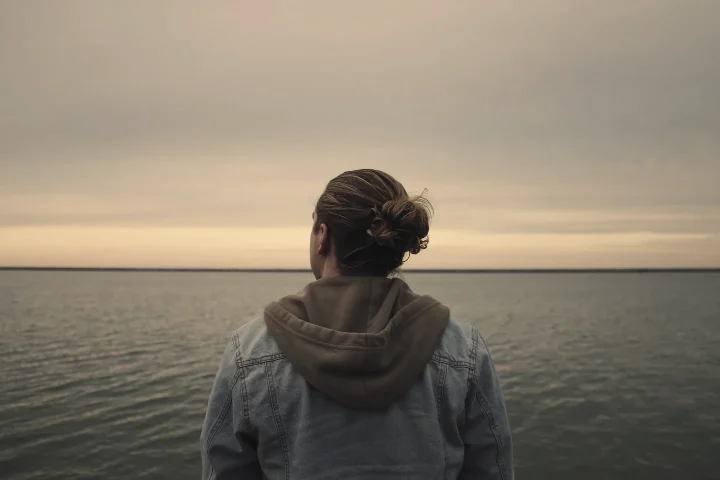
PHOTO EFFECTS · FILTER
What changes at 35, 70 and 100%
At 35% the blue of the sky and sea already fades, and average saturation drops by about 50%. At 70% the tone turns from cool to warm beige. At 100% the brown itself becomes strong, so measured saturation climbs back (about 10% above the original), this time in brown instead of blue. Brightness barely changes at any strength.
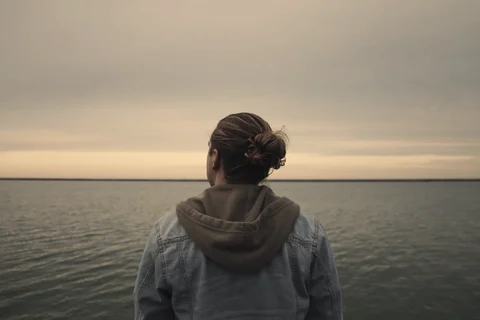
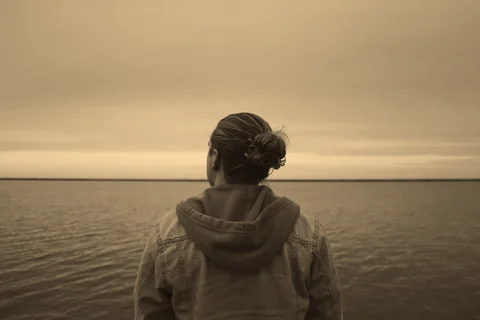
Measured from the images on this page. Results vary with each photo.
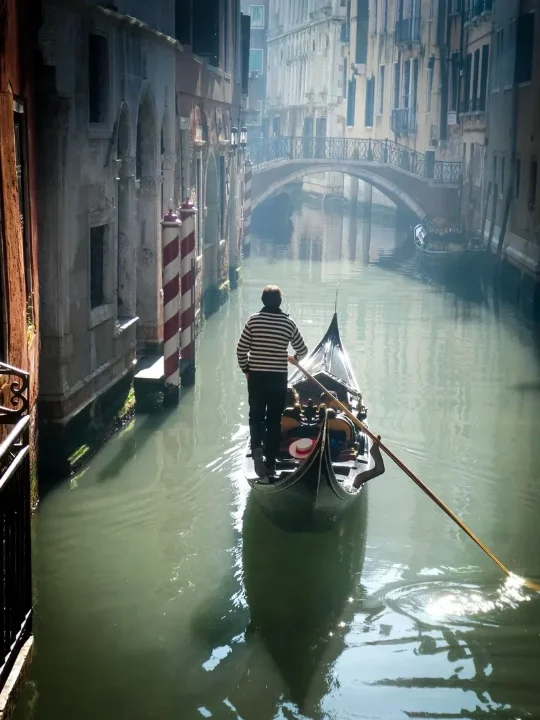
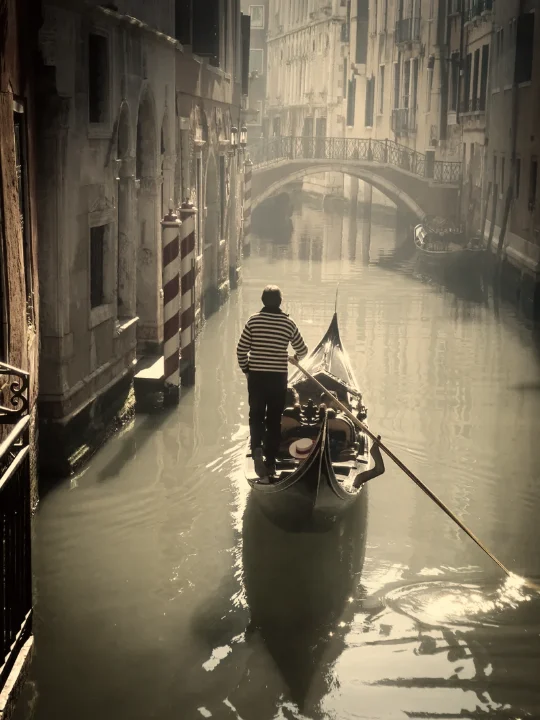
On a backlit travel photo
The green canal water turns a warm khaki brown and the red-and-white mooring poles fade, while the gondolier’s striped shirt and the sparkle on the water keep their detail. Brightness barely changes, so nothing gets lost in the shadows. Sepia suits travel photos you want to feel like an old postcard.
IN YOUR BROWSER
How to add a sepia filter online
Open your photo
Start with your own photo or the sample. The photo is edited in your browser and is not uploaded for editing.
Choose Filters → Sepia
Start around 70% for a soft beige. Go to 100% for a deeper brown, like a very old photo.
Save the PNG
Choose Save to download a PNG up to 720 pixels on its longest side. Save before you leave the page.
PHOTO EFFECTS · FILTER
Sepia, Brown, Vintage or Analog?
The same sample at 70%, so you can compare similar looks side by side.
Sepia
Warm beige and brown with most of the original color removed, like an old family photo.
Try Sepia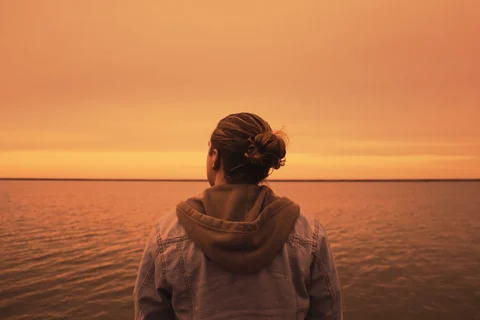
Brown
A strong amber-orange monochrome, much warmer and bolder than Sepia.
Try Brown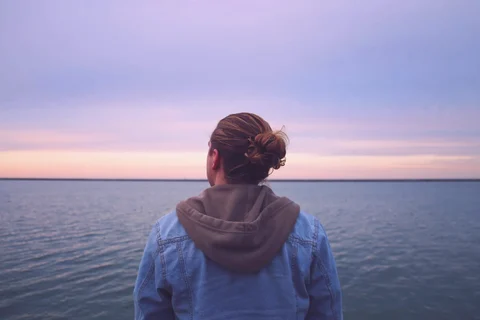
Vintage
Faded and airy: lighter shadows, softer color, a rose-lavender tint.
Try Vintage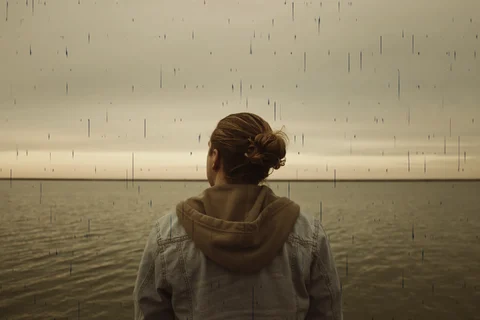
Analog
Warm film color with dust and scratch marks.
Try Analog
PHOTO EFFECTS · FILTER
Sepia at a glance
| Category | Filters |
|---|---|
| Name in Dorr | Sepia |
| Strength | 0–100%, start around 70% |
| Apply to | Entire photo, Subject or Background |
| Price | Free on the web and in the app (not Pro) |
| Web save | PNG, up to 720 px on the long side |
GOOD TO KNOW
Frequently asked questions
Is Sepia free?
Yes. Sepia is not a Pro item, so you can preview and save it free in the web editor and in the iPhone and Android app.
What is the difference between Sepia and Brown?
Sepia gives a soft beige-brown and keeps the photo calm. Brown is a much stronger amber-orange monochrome: on the sample at 70%, its measured saturation is about 3.5 times that of Sepia. Choose Brown for a bold, warm poster look.
Does the app use the same Sepia?
Yes. The web editor uses the same Sepia as the Dorr app. In the app you can also add text, correct perspective and undo steps, and Dorr Pro saves in HD.
YOUR NEXT PHOTO. YOUR NEXT STORY.
Dorr app for iPhone and Android
Keep creating, wherever the day takes you. Edit photos and make videos on iPhone and Android.
iPhone (iOS 18+) · Android 10+ · Free download